
Apollo Knowledge Magazine · Western Suburbs Series · 4 of 6

Commercial planning guideBolingbrook, Illinois

Bolingbrook Warehouse Technology: Connect the Floor, Loading Dock and Office

A warehouse network has to support the places where work happens: between racks, near dock doors, at shipping stations and inside the office. For a Bolingbrook facility, a useful technology plan follows those workflows instead of treating the building as one large open room.

Warehouse infrastructure supporting Wi-Fi and camera coverage
Illustrative system view; project requirements vary by building.

Quick summary

Technology planned around movement and operations

Apollo Technology & Cabling helps businesses in Bolingbrook, IL plan and install commercial low-voltage infrastructure: structured cabling and fiber, business Wi-Fi, surveillance, access control, intercoms, audio/video and paging. Start with the building, define the operating requirements and agree on how the finished systems will be tested.

Picture a Bolingbrook warehouse adding storage rows and reorganizing shipping. Scanner use shifts, camera sightlines change and a new work area sits farther from the main rack. This illustrative scenario shows why an expansion review should connect cabling, wireless coverage, visibility and announcements. It does not describe a verified Apollo installation.

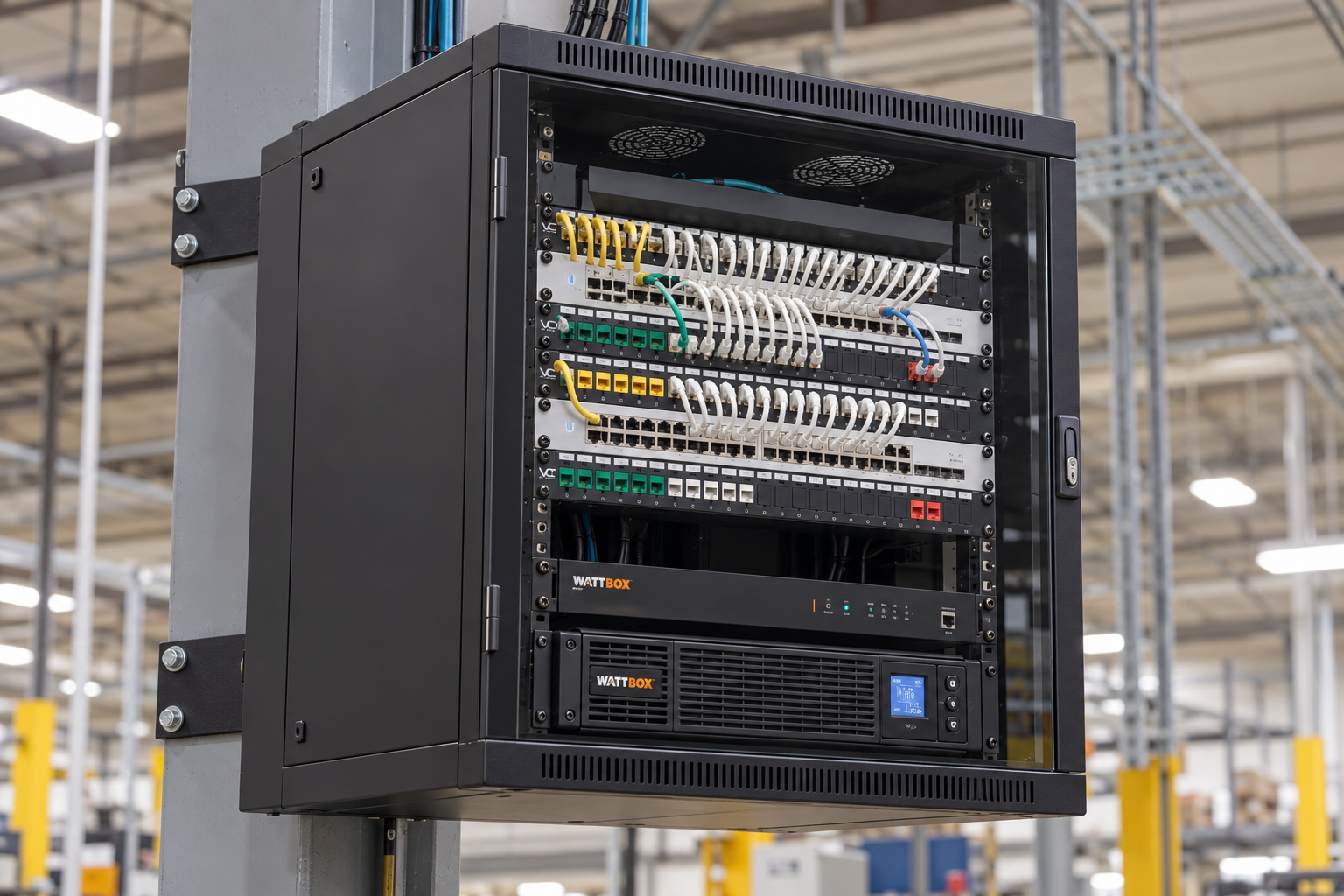
Organized industrial network cabinet and structured cabling
Illustrative system view; project requirements vary by building.

Follow workers and devices through a shift

Identify receiving, picking, packing, shipping and office workflows. Record where mobile devices move and where interruptions occur. Review the layout in its normal operating condition, including stored goods and active work areas. Coverage assumptions made in an empty space may not describe the finished operation. Define which applications and device types the acceptance walkthrough will use.

Plan distribution and backbone routes

Review the main equipment location, possible distribution areas and cable paths. Where fiber is appropriate, specify the endpoints, equipment compatibility and documentation required. Equipment spaces also need practical access and an environment suitable for the installed hardware. Apollo can coordinate cabling, fiber, racks and network hardware around the facility plan rather than adding isolated runs without a clear map.

Test useful footage at doors and docks

A broad view may show that something happened without showing the detail needed to investigate it. Define the event and viewing area for employee doors, loading positions and shared spaces. Review recorded footage under representative lighting and activity. Include retrieval permissions and export procedures in the handoff so the business can actually use the recording when needed.

Align access and paging with the operation

Separate employee, visitor and delivery access workflows. Define who manages credentials and exceptions. For paging and break bells, specify zones, schedules and the areas where announcements should be understood. Routine paging should not be represented as a life-safety system unless the specific design and required approvals establish that role.

Prove the layout works during operations

Walk the intended routes with the actual business devices and review the agreed camera events. Test paging in representative operating conditions and confirm access schedules with the responsible manager. Document the cable map, system owners and unresolved items. If storage or work areas change later, retain that baseline so the next review has something concrete to compare.

Compare a device quote with a complete project scope

Equipment-only comparison

Model numbers and quantities are useful, but they do not establish cable routes, integration responsibilities, installation access or what the business will receive at handoff. Resolve these omissions before comparing totals.

Defined installation and handoff

Ask for device locations, retained-equipment assumptions, pathways, responsibilities, testing, training, documentation and recurring charges. Compare the same agreed operating requirements across proposals.

Warehouse paging horn speaker installation
Illustrative system view; project requirements vary by building.

Before requesting a proposal

  1. Provide current and proposed rack layouts.
  2. List mobile devices and operational applications.
  3. Map doors, docks and desired recorded events.
  4. Define paging zones and credential responsibilities.
  5. Perform acceptance checks with representative activity.

Frequently asked questions

Can office Wi-Fi design be copied onto the floor?

Use the actual warehouse layout, device movement and operating conditions to assess coverage and performance.

When should fiber be considered?

Review it when backbone distance, capacity, topology or environmental requirements call for a different connection approach.

Will more cameras automatically improve coverage?

Camera placement, view requirements, lighting and recording settings matter alongside device count.

Can Apollo include break bells?

Paging and break-bell planning can be part of the scope. Specify zones, schedules and control responsibilities.

Can the facility remain active during work?

Discuss phased areas, lift access and interruption windows before scheduling installation.

What should we send for a Bolingbrook assessment?

Share a floor plan, proposed operational changes, existing equipment details and the areas causing problems. Apollo offers free assessments.

Plan your Bolingbrook project with Apollo

Apollo Technology & Cabling serves Aurora, Naperville, Plainfield, Bolingbrook, Lisle and Oswego, Illinois, as part of its Chicagoland service area. Tell us what is changing in your building and what needs to work better.

Request a free assessment or call 331-256-8330. Assessment scope and project scheduling will be confirmed with your team.

Explore structured cabling and fiber, commercial AV, Akuvox access control and intercoms, and Apollo’s full service range.