
Camera systems planned for coverage, review, and long-term support.
Apollo helps Chicago-area businesses design and install commercial surveillance systems that support real operations: entrances, docks, aisles, offices, parking areas, shared spaces, and critical facility zones.
Useful footage starts before the camera is installed.
Camera placement, cabling, lighting, recording settings, retention, remote access, and user training all affect whether footage is useful when something needs to be reviewed.
Cameras are easy to buy. Useful coverage takes planning.
Many surveillance problems do not come from the camera itself. They come from poor viewing angles, weak cabling, bad lighting, insufficient storage, unreliable networks, or systems that are hard for staff to use.
Apollo plans camera systems around the facility: where people enter, where vehicles move, where inventory is handled, where visitors wait, and where incidents are most likely to need review later.
Commercial surveillance infrastructure that supports the whole camera system.
This page focuses on CCTV and security camera installation in Chicago and the suburbs. Access control and intercom systems are handled separately, but cameras often connect to those workflows.
Camera Coverage Planning
Reviewing entries, aisles, docks, parking areas, blind spots, lighting conditions, mounting heights, and viewing angles before equipment is selected.
Cabling, PoE & Pathways
Planning the low-voltage cabling, switches, PoE budget, conduit, pathways, and network readiness needed to support reliable cameras.
NVR, Cloud & Storage
Helping determine recording method, retention goals, remote viewing, user access, storage capacity, and practical review workflows.
AI-Assisted Video Search
Configuring camera systems that can help authorized users search footage by people, vehicles, colors, objects, and activity descriptions.
System Installation
Mounting cameras cleanly, aligning views, labeling cabling, testing recording, verifying remote access, and documenting camera locations.
Training & Support
Helping managers and teams understand how to review footage, search events, manage users, and request support after installation.
Good footage is only useful if you can find what happened.
Modern camera platforms can help authorized users search recorded footage with practical descriptions instead of manually scrubbing through hours of video.
AI-assisted review works best when camera placement, resolution, lighting, network reliability, recording settings, and user training are planned correctly.
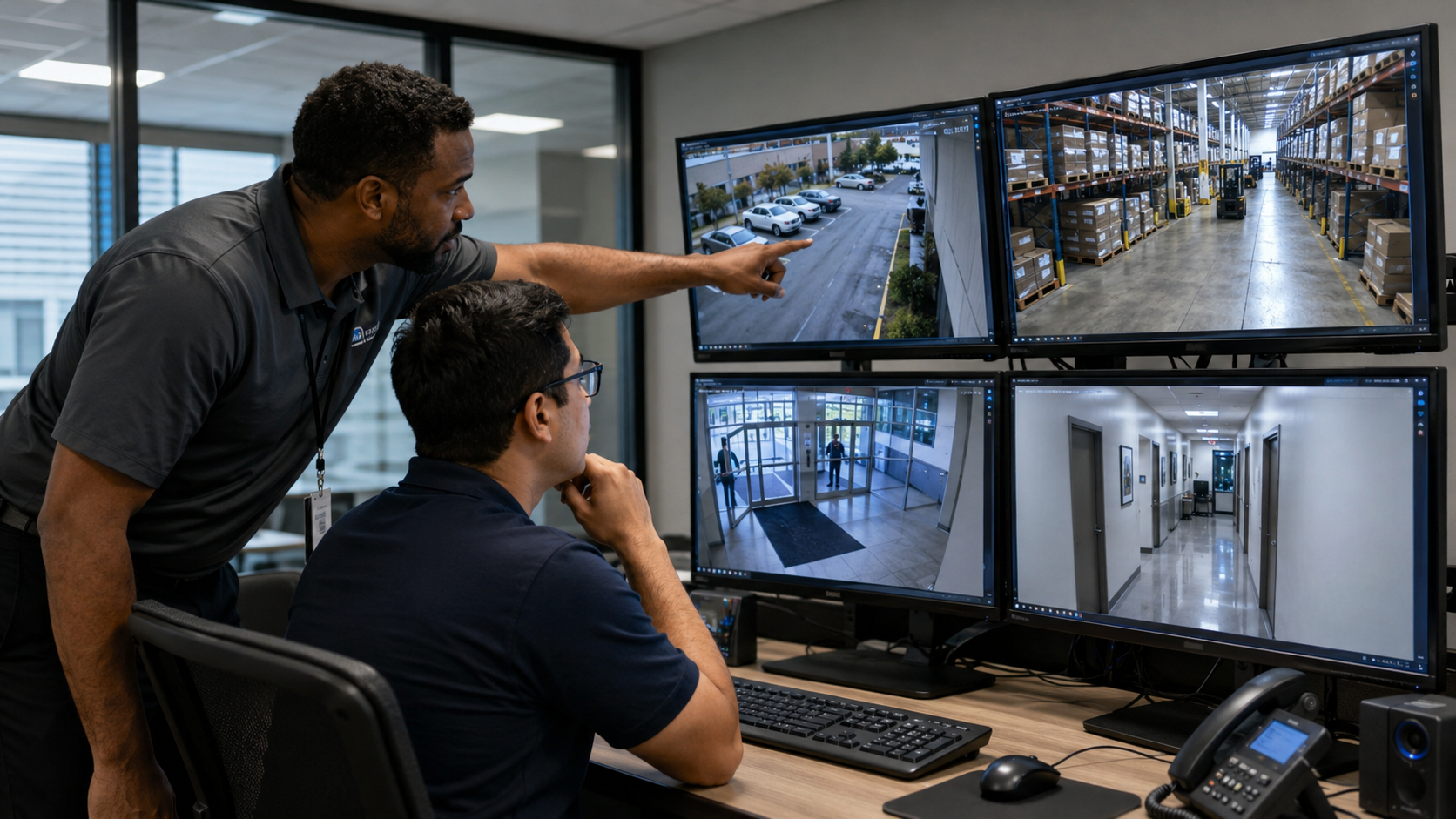
Camera systems should be designed around what people need to see later.
Apollo looks at practical constraints before cameras are installed so the system is more useful after it is turned over.
Viewing Angle
Faces, vehicles, license plates, counters, docks, and entry paths require different mounting positions and fields of view.
Lighting
Glare, shadows, exterior transitions, warehouse lighting, and night conditions affect image quality and search usefulness.
Retention
Storage planning should match how long footage needs to be available for operations, investigation, or compliance needs.
Network Readiness
PoE switches, VLANs, bandwidth, cabling, racks, and UPS support help keep camera systems stable.
User Access
Managers, property teams, security staff, and owners may need different levels of access and review capability.
Remote Viewing
Remote access should be useful, secure, and understandable for the people who actually need to use it.
Existing Systems
Some facilities need camera upgrades while keeping part of the existing infrastructure active during transition.
Documentation
Camera names, locations, cabling paths, switch ports, and recording notes make future support easier.
Coverage planned around real commercial environments.
Different facilities need different camera layouts. Apollo plans around workflow, risk areas, visibility needs, and support after installation.
Warehouses & Logistics
Loading docks, aisles, inventory zones, forklift paths, receiving, and perimeter visibility.
Commercial Offices
Entrances, lobbies, corridors, shared areas, server rooms, and after-hours activity.
Property Management
Common areas, garages, entrances, delivery zones, visitor paths, and tenant support.
Retail & Restaurants
POS areas, kitchens, dining rooms, stock rooms, entrances, and multi-site operations.
Consult. Design. Construct. Maintain.
Apollo’s surveillance process is built to reduce surprises. We clarify what the cameras need to accomplish, design around real constraints, install cleanly, and leave the system understandable for future support.
Consult
Review concerns, existing cameras, coverage gaps, retention needs, access needs, and operational priorities.
Design
Plan camera locations, cabling, switches, storage, remote access, user permissions, and review workflow.
Construct
Install cameras, cabling, recording systems, network hardware, labels, documentation, and tested views.
Maintain
Support review access, camera adjustments, retention needs, troubleshooting, and future expansion.
Questions buyers ask before upgrading cameras.
These questions help clarify whether a camera system needs a full replacement, selective upgrades, or better planning around review and support.
Can Apollo upgrade an existing camera system?
Yes. Apollo can review existing cameras, cabling, recording equipment, network readiness, and coverage gaps before recommending whether to reuse, replace, or phase the system.
Do AI search features require special planning?
Yes. Search quality depends on camera placement, viewing angle, resolution, lighting, recording settings, and the platform used. Apollo plans these details before installation where possible.
Can surveillance cameras work with access control?
Yes. Surveillance and access control often support the same workflows, especially at entrances, gates, loading docks, lobbies, and restricted areas. Apollo plans the infrastructure so systems can support each other.
Do we need cloud recording or an NVR?
It depends on retention goals, bandwidth, number of cameras, remote access needs, budget, and IT requirements. Apollo can help compare practical options.
What areas does Apollo serve?
Apollo supports commercial facilities across Chicago, Chicagoland, the suburbs, and Northern Illinois commercial corridors.
Helpful guidance for surveillance camera planning.
Surveillance projects often involve more than choosing a camera model. These guides explain practical decisions around camera resolution, CCTV planning, placement, storage, remote viewing, network readiness, and long-term support.
Benefits of CCTV Installation in Chicago
Learn how commercial CCTV and surveillance systems can improve visibility, security, accountability, and incident review for Chicago-area businesses, offices, warehouses, retail spaces, and managed properties.
1080p vs 4K Security Cameras: The Plain-English Difference
Compare 1080p, 4MP, and 4K security cameras for commercial buildings, including camera placement, low-light performance, storage needs, network capacity, and when higher resolution actually matters.
Review the facility before the cameras go on the wall.
Apollo can walk the site, identify coverage needs, review infrastructure constraints, and help plan a surveillance system that is easier to use and support later.
